
SafetyLink Feature
Contractor & Personnel Management
Add your contractors, manage your team, assign roles, and control access to projects and features
What it does
Contractor Management

A register of every contractor company — company name, contact name, email, phone, and active status. Search contractors, add new ones, edit their details, or deactivate them. Each contractor is then available to assign across projects, daily logs, inspections, and corrective actions throughout SafetyLink.
-
Feature 01
Add contractors
Add any contractor company with their company name, contact name, email, and phone number — instantly available to assign across all SafetyLink modules.
-
Feature 02
Active / inactive status
Mark contractors as active or inactive — keeping your register current without deleting historical records linked to past projects and inspections.
-
Feature 03
Search and manage
Search your contractor list by name, view full contractor details, edit their information, or remove them — all from a clean, paginated register.
-
Feature 04
Used across SafetyLink
Once added, contractors are selectable in daily logs, project inspections, corrective actions, safety observations, and anywhere else a contractor is relevant — no re-entry needed.
Personnel Management
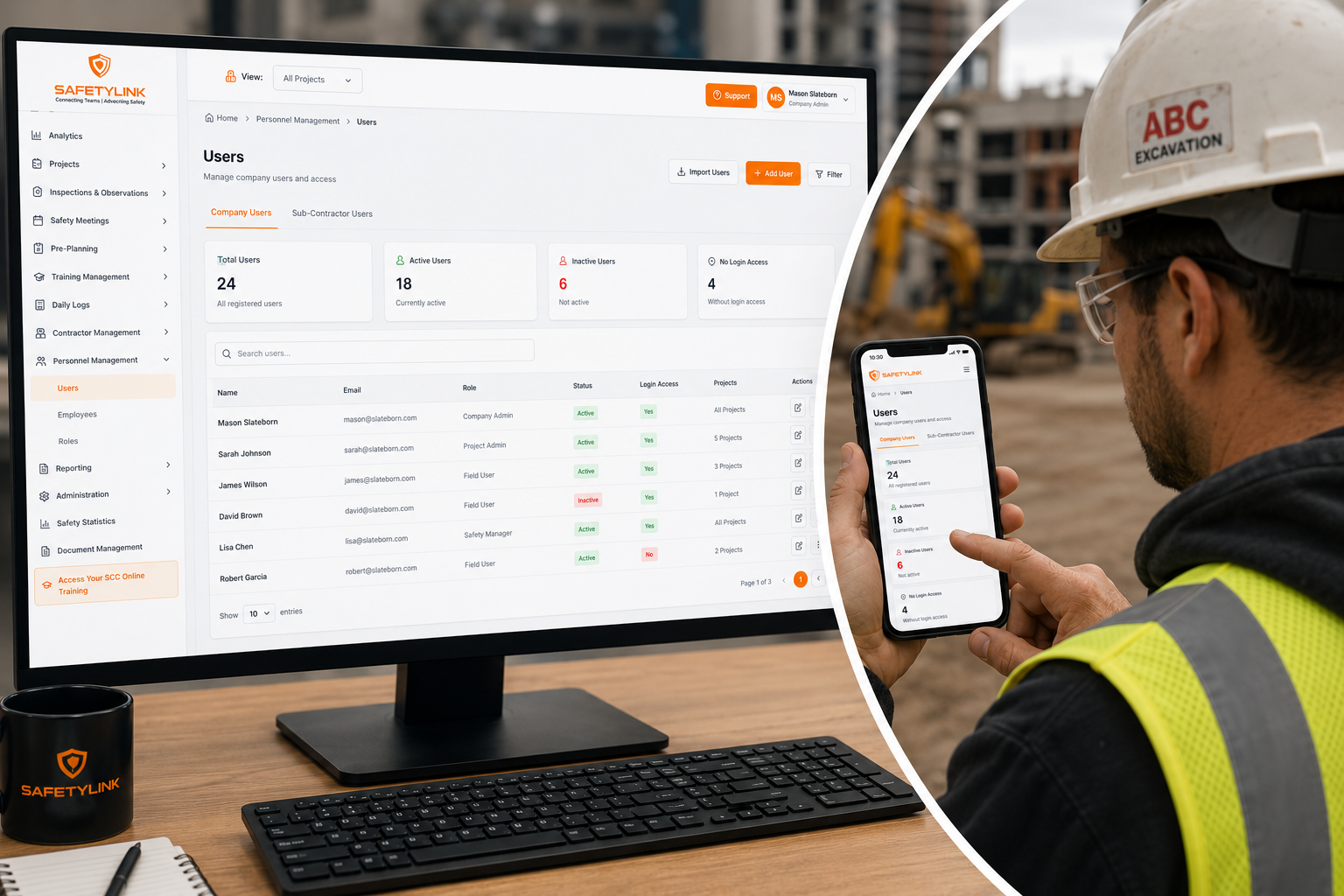
Manage every user in your SafetyLink account — company users and sub-contractor users in separate tabs. See total, active, and inactive user counts at a glance. Add new users, import users in bulk, assign roles, set project access, and control which features each person can use. Users without login access can be flagged and granted access from the same screen.
-
Feature 01
Add and import users
Add new users one at a time or import them in bulk. Add users with full login access or as site contacts without login — manageable separately from the same screen.
-
Feature 02
Role-based permissions
Assign each user a role — Company Admin, Project Admin, Field User, or Sub Contractor Manager — with permissions configured per role to control exactly what they can see and do.
-
Feature 03
Project access control
Assign each user to specific projects — Field Users only see the projects they're assigned to, keeping project data separated and secure across your portfolio.
-
Feature 04
Company and sub-contractor users
Manage your internal team and sub-contractor users in separate tabs — keeping company staff and contractor personnel distinct with appropriate access levels for each.
-
Feature 05
Custom roles
Add custom roles beyond the four defaults — configure permissions for each to match your team structure and give exactly the right level of access to each person.
-
Feature 06
Search, filter and manage
Search users by name, filter by role or status (active/inactive), edit user details, update roles, manage project assignments, or deactivate accounts — all from one place.
Default roles
Company Admin
Full access to all company features — no configuration needed.
Project Admin
Manages projects and project-level operations — configurable permissions.
Field User
Field-level access with assigned projects only — configurable permissions.