SafetyLink Feature
Incident Investigation
Root cause analysis, corrective action tracking, and structured investigation — built into a single guided workflow
What it does
See it in action
Key features
-
Feature 01
AI-assisted root cause analysis
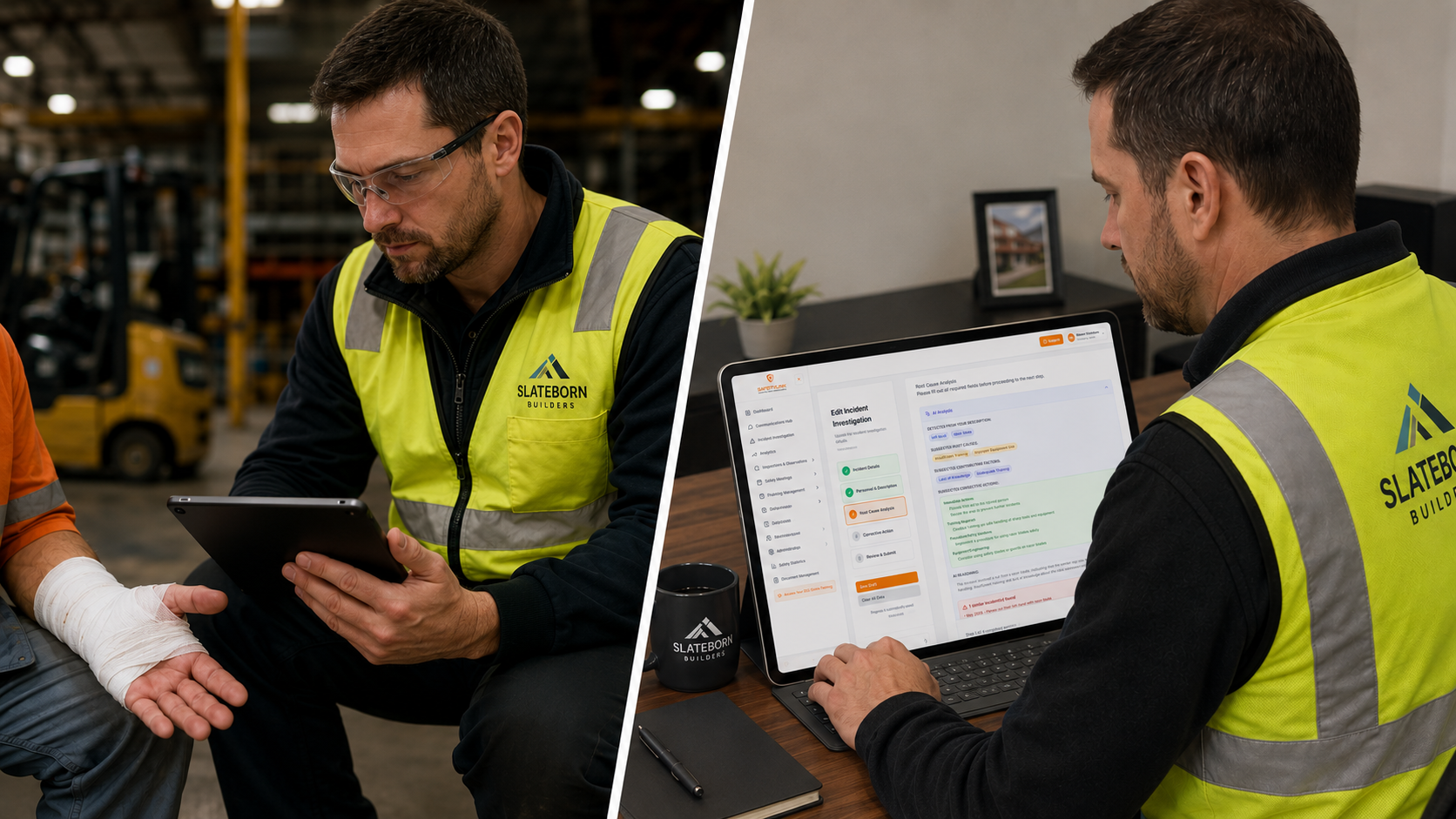
The moment you complete the incident description, AI analyzes it — detecting key details, suggesting root causes and contributing factors, recommending categorized corrective actions (immediate, training, procedure, equipment), explaining its reasoning, and flagging any similar past incidents in your system. Root cause and contributing factor fields are pre-filled for the investigator to review, accept, or change. The investigator stays in full control. All AI processing is continuous, responsible, and fully contained within SafetyLink.
-
Feature 02
Create a new incident
Log injuries, illnesses, property damage, near misses, and vehicle accidents in a structured guided form — covering incident details, personnel, root cause, and corrective action. Progress auto-saves throughout.
-
Feature 03
Assign an investigator
Assign the investigation to the right person the moment it is reported — they are notified instantly and can begin work straight away.
-
Feature 04
Instant notifications
Supervisors and safety managers are alerted the moment a new incident is reported — keeping the right people informed without delay.
-
Feature 05
Corrective action tracking
Corrective actions from investigations are assigned, tracked, and followed through to verified completion — without leaving the platform.
-
Feature 06
Search and filter
Search by ID, project, date range, incident type, or person. Filter by All, Open, Under Investigation, or Closed to find any record instantly.
-
Feature 07
View and download PDF
View the full investigation report on screen or download as a PDF for sharing with clients, insurers, or regulators.