SafetyLink Feature
Communications Hub
Messages, announcements, and emergency alerts — all in one place for your entire workforce
What it does

The Communications Hub is the central place for all safety communications across your projects and teams:

Messages Send direct messages to individuals, teams, or contractors with priority levels, CC, file attachments, and full reply threads.
Announcements Broadcast to all users or a targeted audience with optional acknowledgement tracking and expiration dates.
Emergency Alerts Delivered immediately via Email, SMS, and push to everyone — bypassing notification preferences and quiet hours without exception.
See it in action
Emergency alert
Scenario 1 of 4

Emergency alert sent to 80 workers in seconds

A storm warning is issued mid-shift. The supervisor sends an emergency alert — delivered immediately via Email, SMS, and push to every worker regardless of preferences or quiet hours. All 80 crew receive it within seconds and the site is cleared safely.

Emergency alerts · All channels · Bypasses quiet hours
Announcement
Scenario 2 of 4

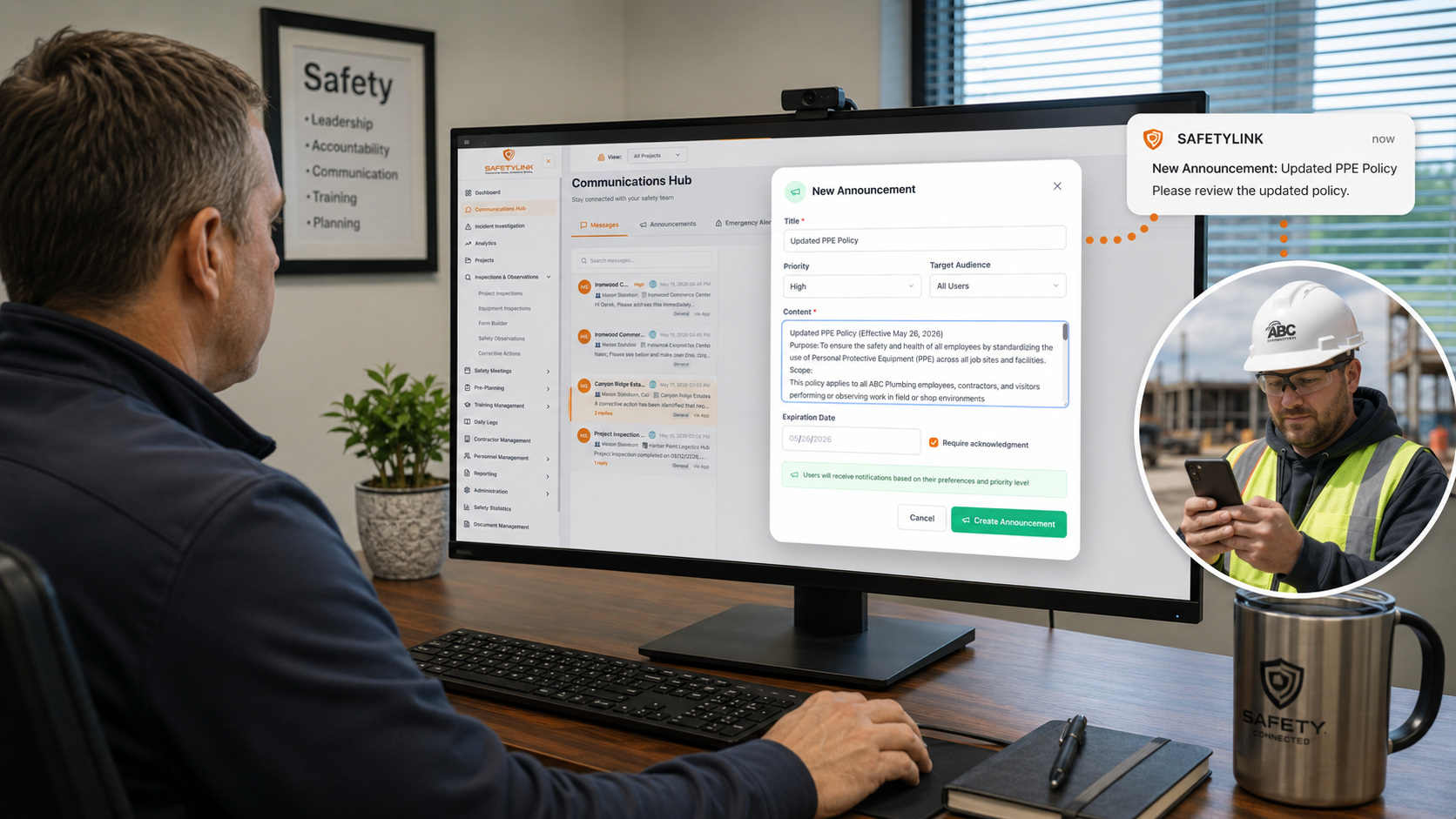
Company-wide announcement with acknowledgement required

A safety manager broadcasts an updated PPE policy to all users before Monday. Required acknowledgement is enabled — every worker must confirm they've read it, and the manager tracks who has and hasn't responded in real time.

Announcements · Acknowledgement · Target audience
Corrective action message
Scenario 3 of 4

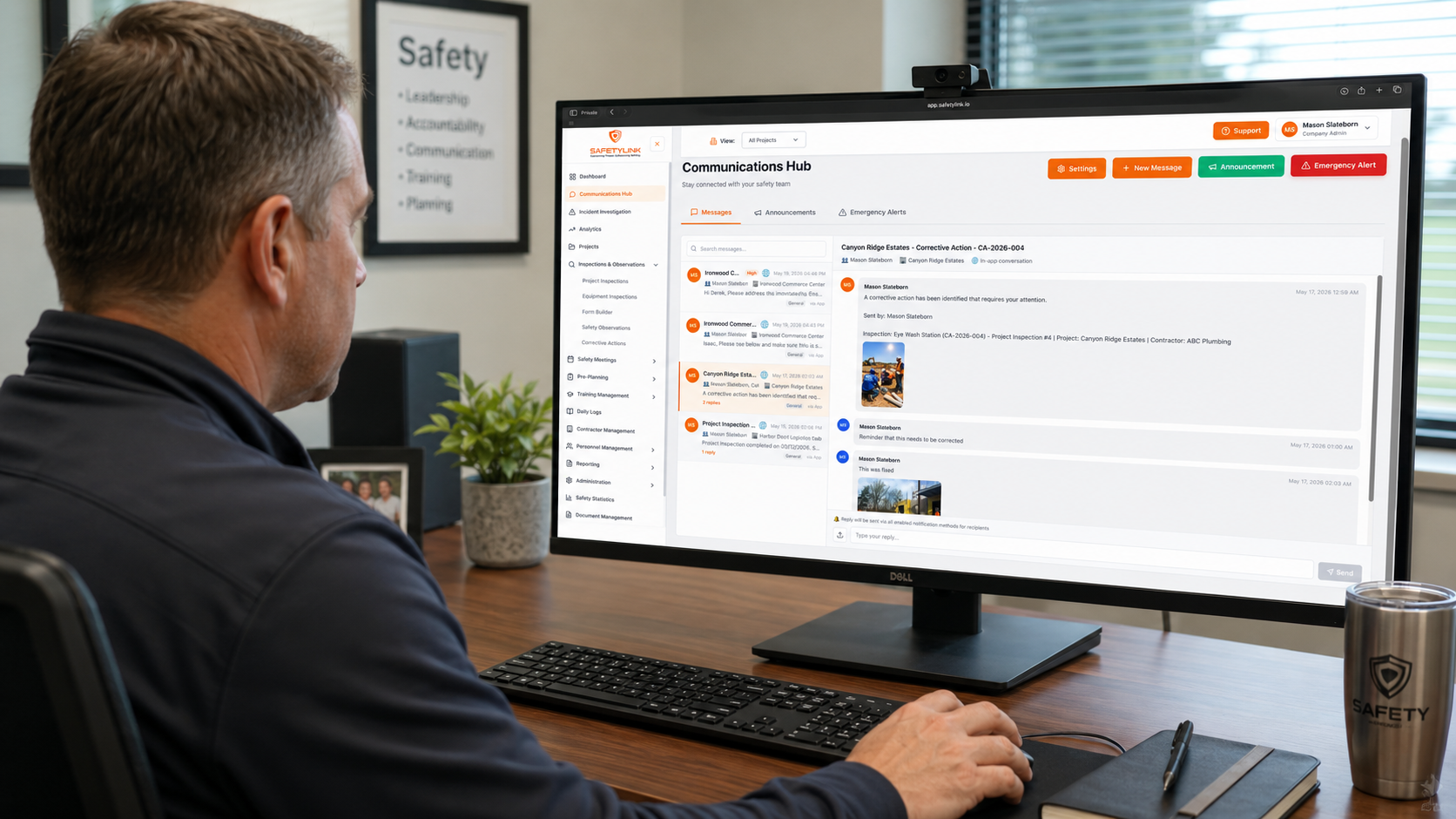
Corrective action flagged and messaged instantly

A supervisor identifies a traffic control issue during an inspection. A high-priority message is sent directly to the responsible contractor with the site photo attached — logged against the project and tracked to resolution.

Messages · Priority · Attachments
Post-incident audit
Scenario 4 of 4

Post-incident communication audit

Following a near-miss, the safety director pulls the full audit log. Every message, alert, acknowledgement, and read receipt is timestamped and retrievable — giving investigators a clear chronological record without searching through emails or phone records.

Audit log · Read receipts · Incident review

Swipe to see more →

Key features
Feature 01

Messages

Send direct messages to individuals, teams, or contractors. Set priority levels, add CC recipients, link to a project, attach files, and track replies — all in one thread.

Feature 02

Announcements

Broadcast safety announcements to all users or a targeted audience. Set an expiration date and require acknowledgement to confirm every recipient has read the notice.

Feature 03

Emergency alerts

Send emergency alerts that are delivered immediately via all channels — Email, SMS, and push — regardless of individual notification preferences or quiet hours settings.

Feature 04

Notification preferences

Each user controls how they receive notifications — Email, SMS, or push — for every module including messages, inspections, corrective actions, meetings, and more.

Feature 05

Quiet hours

Set quiet hours to pause non-urgent notifications outside working hours. Emergency alerts always bypass quiet hours and are delivered immediately regardless of the time.

Feature 06

Read receipts and audit log

See exactly who has read each message with timestamps. The full communication history is stored and retrievable for compliance reviews and incident investigations.

Feature 07

Robust Hub

Alert and resolve issues with your team and subcontractors by SMS and Email preferences — keeping every communication tracked and accountable in one place.

Feature 08

Everyone is Linked

Send items that need correction, general announcements, and emergency alerts — ensuring your entire workforce stays informed and connected across every project.