SafetyLink Feature
Daily Logs
Track daily activities, weather, and contractor work — submitted in minutes, stored permanently
What it does
See it in action
-
Audit Ready
Clear, structured records for each workday — timestamped, submitted, and stored permanently against every project.
-
Operational Monitoring
Know who is on site, what they worked on, how many people, and what the conditions were — across every project, every day.
Key features
-
Feature 01
Create a new daily log
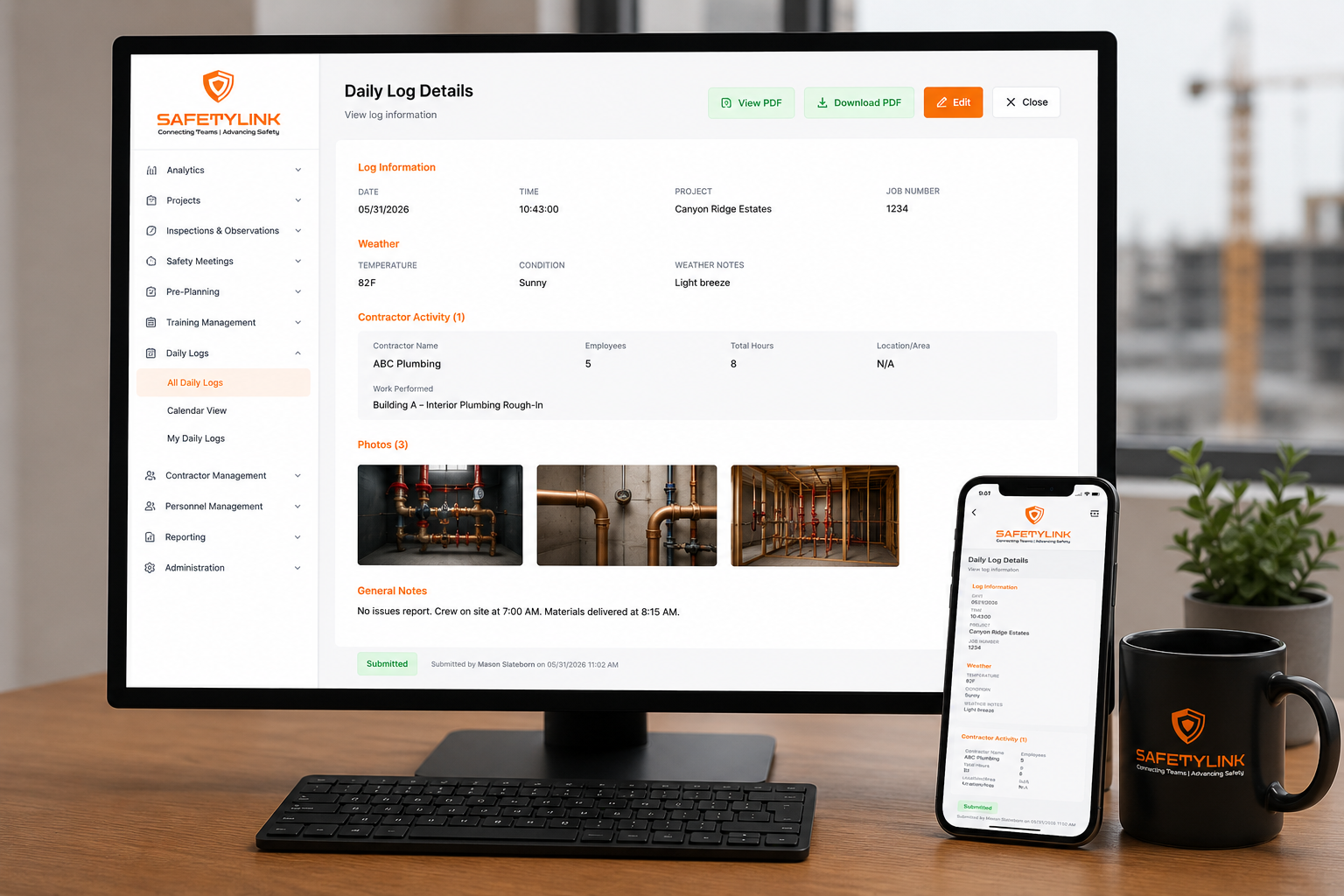
Start a new log with company, project, job number, date, and time — then move to contractor activity in a clean two-step form. Completed in minutes from any device on site.
-
Feature 02
Weather logging
Record temperature, weather condition (clear, cloudy, thunderstorm, and more), and weather notes for the day — creating a documented record of site conditions that supports delay claims and safety decisions.
-
Feature 03
Contractor activity
Log each contractor's name, number of employees, total hours worked, work performed, and location/area on site. Add multiple contractors to a single daily log — as many as were active that day.
-
Feature 04
Photos
Attach photos to each contractor's activity entry and to the General Notes section — documenting progress, site conditions, or any issues with visual evidence tied to the date and project.
-
Feature 05
General notes
A free-text section at the end of each log for anything else from the day — safety events, site visitors, delays, instructions received, or any notes the supervisor needs on record.
-
Feature 06
Dashboard KPIs
See total logs this month, logs submitted this week, active projects with logs, active contractors, and average temperature — at a glance across the entire company or filtered by project.
-
Feature 07
Search and filter
Search logs by keyword, filter by project, and set a date range to find any log instantly. View across the entire company or drill down to a single project.
-
Feature 08
View and download
View any submitted log on screen, download it, or export a PDF — for client reporting, contract claims, dispute resolution, or project audits.