SafetyLink Feature
Document Management
Centralized document storage for your entire company — organized, searchable, and secure
What it does
See it in action
Key features
-
Feature 01
Central location
Documentation at everyone's fingertips — one place for every safety document across your entire company, organized by project and module, with permissions controlling access at every level.
-
Feature 02
Secure by design
Enterprise-grade document security on Amazon Web Services (AWS) — your files are safe, backed up, and never accessible to the wrong people, from anywhere in the world.
-
Feature 03
Organized by project and module
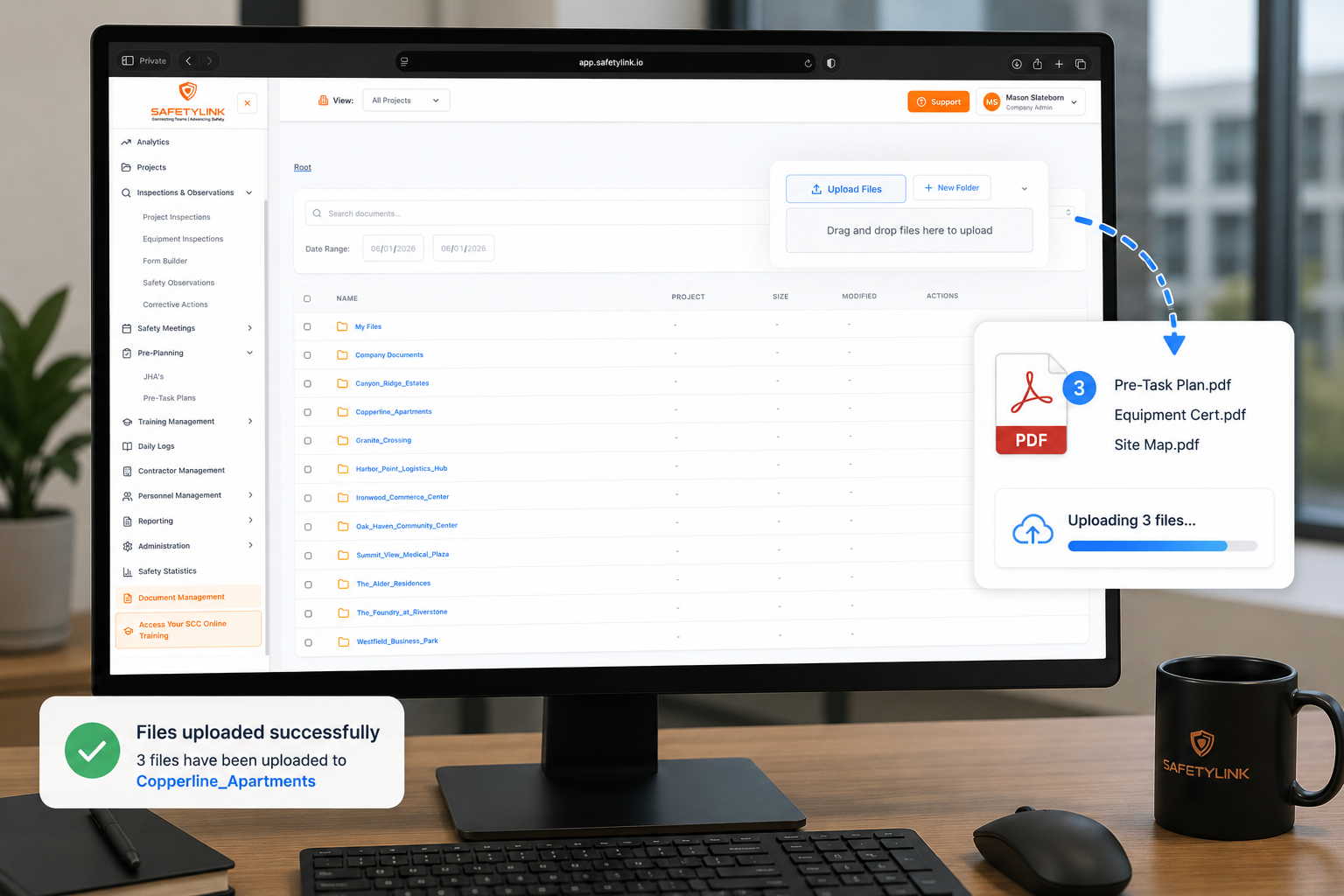
Root folders for My Files, Company Documents, and every project. Inside each project, sub-folders are pre-created for every SafetyLink module — Communications Hub, Incident Investigation, Inspections & Observations, Safety Meetings, Pre-Planning, Training Management, Daily Logs, Contractor Management, and Personnel Management.
-
Feature 04
Drag, drop and go
Upload files instantly by dragging and dropping anywhere on the file list — or use the Upload Files button. Create new folders anywhere in the hierarchy to organize documents exactly as your team needs.
-
Feature 05
Search and filter
Search documents by name, filter by All Items or a specific file type, and narrow results by date range — across the entire company or filtered to a specific project.
-
Feature 06
Entire company or by project view
Switch between viewing the entire company's document library or filtering down to a specific project — instantly, from the same screen.
-
Feature 07
Download, rename and delete
Download any file, rename it, or delete it — all from the Actions column. Each file displays its name, project association, size, and last modified date.
-
Feature 08
Permissions-based access
Role-based permissions control who can see and access documents — ensuring sensitive company and project files are only visible to the right people, at the right level.